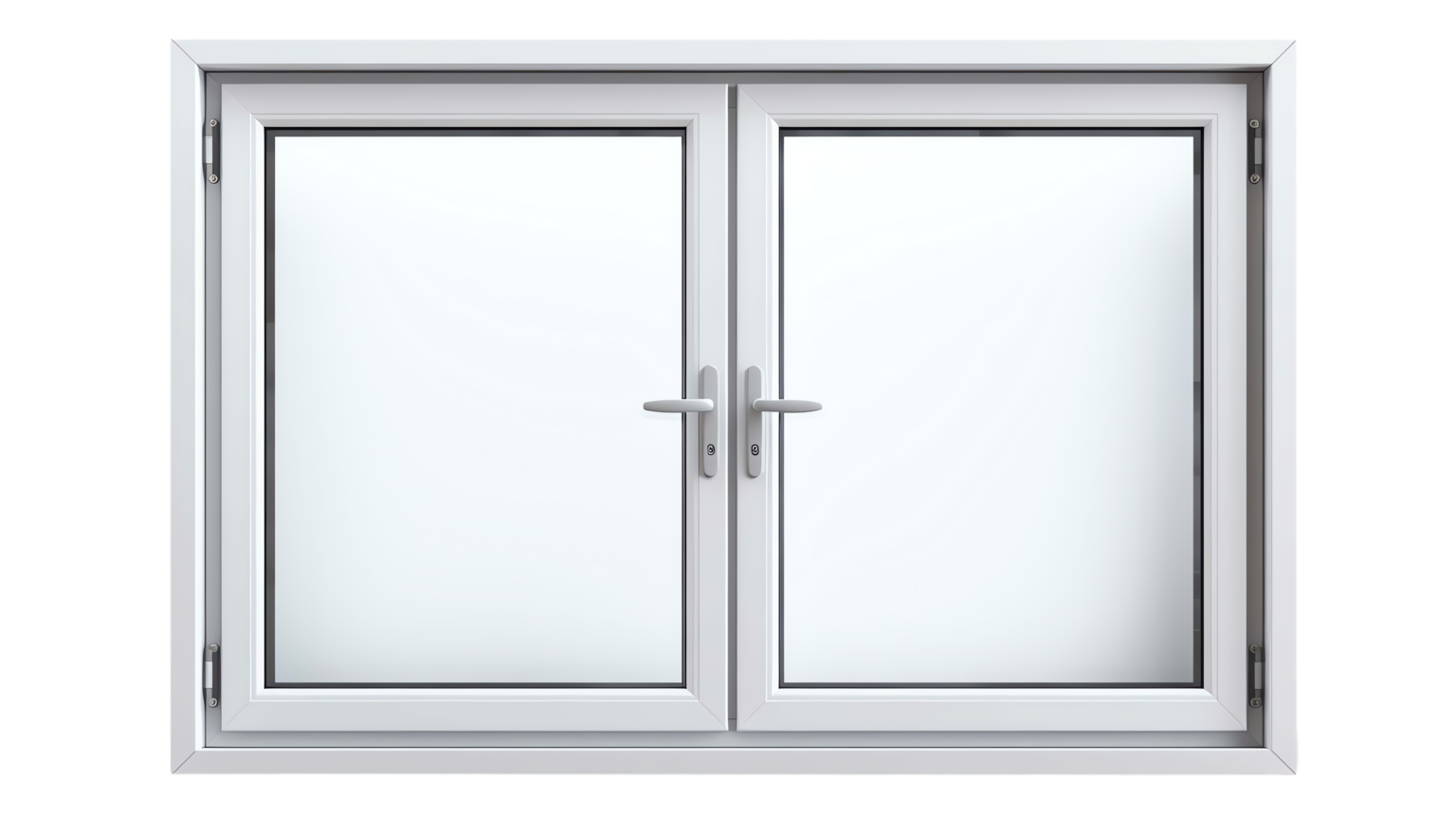
What are Casement Windows and Why Choose Them for Your Cincinnati Home from Wallaby Windows

casement windows in cincinnati ohio

Casement windows are hinged at the side and open outward, providing excellent ventilation and unobstructed views. Their design allows for maximum airflow, making them an ideal choice for rooms that require fresh air. Unlike sliding or double-hung windows, casement windows create a tight seal when closed, enhancing energy efficiency and security. They are also versatile in terms of styling, complementing a variety of architectural designs for your Cincinnati home. Choosing casement windows can boost natural light and give your living space a brighter feel. Additionally, their ease of operation makes them user-friendly for homeowners of all ages. When considering new windows, casement windows stand out for their functionality and aesthetic appeal. Investing in casement windows can elevate both the comfort and beauty of your home.

Benefits of Casement Windows for Homeowners in Cincinnati

Casement windows are a type of window that is hinged on one side and opens outward, providing excellent ventilation and unobstructed views. They have become increasingly popular among homeowners in Cincinnati due to their numerous benefits. One of the main advantages of casement windows is their energy efficiency; they create a tight seal when closed, reducing air leakage and lowering energy bills. Additionally, casement windows are easy to operate with a simple crank mechanism, making them user-friendly for all ages. Their design allows for maximum natural light and ventilation, ideal for the varying weather in Cincinnati. Furthermore, they can enhance the aesthetic appeal of your home with a modern look that complements various architectural styles. Choosing casement windows not only increases your home’s value but also contributes to a more comfortable living environment. With their combination of functionality and style, casement windows are an excellent choice for Cincinnati homeowners looking to upgrade their windows.

How Casement Windows Enhance Energy Efficiency and Ventilation in Your Cincinnati Home

Casement windows are a popular choice for homeowners in Cincinnati due to their unique design and practicality. These windows swing open outward from a side hinge, offering an unobstructed view and allowing for maximum airflow. This makes them particularly effective in enhancing home ventilation, which is essential for maintaining a comfortable indoor atmosphere. The tight seal achieved when casement windows are closed minimizes air leakage, leading to improved energy efficiency and potentially lower utility bills. Easy to operate with a crank mechanism, these windows are user-friendly and suitable for all ages. Furthermore, their sleek and modern appearance can elevate your home’s overall aesthetic, making them a visually appealing option. By selecting casement windows, you can create a brighter and more inviting space while benefiting from their functional advantages.

Top Reasons to Consider Casement Windows for Your Cincinnati Home

Casement windows are an excellent choice for homeowners in Cincinnati looking to enhance both the functionality and aesthetics of their homes. Their distinctive hinge design allows them to open outward, providing ideal ventilation and making it easy to enjoy fresh air. This type of window easily seals when closed, which helps to improve energy efficiency and reduce heating and cooling costs. Additionally, the simple crank operation makes these windows accessible and user-friendly for everyone. With their ability to maximize natural light and offer unobstructed views, casement windows can transform any room into a bright and inviting space. Homeowners also appreciate the modern look of casement windows that fits well with various architectural styles. When you choose casement windows, you invest in a stylish and practical solution for your home in Cincinnati.


Book Your Free Estimate Today

Don’t wait—schedule your free consultation and take the first step toward upgrading your home with Wallaby’s trusted services.

Let's get some information!

<div id="est-phone-number"></div>
<style>
  .estimate-form-inner-wrapper {
    display: flex;
    flex-direction: column;
    gap: 16px;
    margin-bottom: 0px !important;
  }

  .estimate-form-input-grid {
    display: grid;
    align-items: initial;
    grid-template-columns: 1fr 1fr;
    grid-gap: 16px;
  }

  .estimate-form-input-wrapper {
    display: flex;
    flex-direction: column;
    justify-content: flex-end;
  }

  .estimate-form-input-wrapper p {
    font-family: Inter;
    font-size: 14px;
    font-weight: 500;
    line-height: 21px;
    color: black;
    margin-bottom: 4px;
  }
  .estimate-form-input-wrapper span {
    color: red;
  }

  .estimate-form-input-wrapper input {
    padding: 8px 16px;
    border-radius: 4px;
    border: 0.5px solid rgba(163, 163, 163, 0.5);
    color: black;
    font-family: Inter;
    font-size: 16px;
    font-weight: 500;
    line-height: 24px;
  }

  .estimate-form-input-wrapper input::placeholder {
    color: #a3a3a3;
    font-family: Inter;
    font-size: 16px;
    font-weight: 500;
    line-height: 24px;
  }

  .estimate-submit-btn {
    padding: 12px 28px !important;
    border-radius: 999px !important;
    background-color: #043968 !important;
    background-color: var(--bricks-color-fvnfur)!important;
    font-size: 16px !important;
    font-weight: 700 !important;
    line-height: 24px !important;
    color: #ffffff !important;
    text-transform: uppercase !important;
    align-self: flex-start !important;
    transition: all 0.3s ease !important;
    cursor: pointer !important;
  }

  .estimate-submit-btn:hover {
    background-color: var(--bricks-color-ykxnnf) !important;
    color: white !important;
  }

  .wpcf7-form input[type="submit"].custom-estimate-submit-btn {
    padding: 12px 16px !important;
    border-radius: 8px !important;
    background-color: #043968 !important;
    font-family: "Filson pro" !important;
    font-size: 16px !important;
    font-weight: 700 !important;
    line-height: 24px !important;
    color: #95c93d !important;
    text-transform: uppercase !important;
    align-self: flex-start !important;
    transition: all 0.3s ease !important;
    cursor: pointer !important;
  }

  .wpcf7-form input[type="submit"].custom-estimate-submit-btn:hover {
    background-color: #7eb4a3 !important;
    color: white !important;
  }

  @media only screen and (max-width: 990px) {
    .estimate-form-wrapper {
      grid-template-columns: 1fr;
      grid-gap: 64px;
    }
  }

  @media only screen and (max-width: 477px) {
    .estimate-form-input-grid {
      grid-template-columns: 1fr;
    }
  }
</style>

<form method="post" class="estimate-form-inner-wrapper" id="seviceminder-form">
  <div class="estimate-form-input-grid">
    <div class="estimate-form-input-wrapper">
      <p>Name <span>*</span></p>
      <input
        type="text"
        id="name"
        name="Name"
        required
        placeholder="First Name"
      />
    </div>
    <div class="estimate-form-input-wrapper">
      <input type="text" name="lName" id="lName" placeholder="Last Name" />
    </div>
  </div>
  <div class="estimate-form-input-grid">
    <div class="estimate-form-input-wrapper">
      <p>Email <span>*</span></p>
      <input
        type="email"
        id="email"
    		name="Email"
        required
        placeholder="Enter Email"
      />
    </div>
    <div class="estimate-form-input-wrapper">
      <p>Phone Number <span>*</span></p>
      <input type="tel" id="phone" name="Phone1" maxLength=14 placeholder="Enter phone number" required/>
    </div>
  </div>
  <div class="estimate-form-input-grid">
    <div class="estimate-form-input-wrapper">
      <p>Address line 1</p>
      <input type="text" id="address1"
    name="Address1" />
    </div>
		<div class="estimate-form-input-wrapper">
      <p>Address line 2</p>
      <input type="text" id="address2"
    name="Address2" />
    </div>    
  </div>
  <div class="estimate-form-input-grid">
    <div class="estimate-form-input-wrapper">
      <p>City</p>
      <input type="text" aria-required="true"
        aria-invalid="false"
        id="city"
        name="City" />
    </div>
    <div class="estimate-form-input-wrapper">
      <p>State</p>
      <input type="text" aria-required="true"
      aria-invalid="false"
      id="state"
      name="State" />
    </div>
  </div>
  <div class="estimate-form-input-grid">
    <div class="estimate-form-input-wrapper">
      <p>Zip Code <span>*</span></p>
      <input type="text" id="postalcode"
      name="PostalCode" required />
    </div>
    <div class="estimate-form-input-wrapper">
    <input type="hidden" name="key" id="serviceminder-key" />
  </div>
  </div>
  <input
      type="hidden"
      id="RedirectUrlPopup"
      name="RedirectUrl"
    />
  <button type="submit" class="estimate-submit-btn" id="serviceminder-submit">
    Submit
  </button>
</form>